Showing posts with label Windows. Show all posts

July 15, 2011

The Cloud Makes Using Even Windows Simple

In an odd twist, Google is making it even easier to use Windows than ever before. While that sounds silly, the move to the cloud means that if you bring Chrome with you and you use many of Google services (like Plus, Reader, Blogger, etc), the computer and OS are practically invisible.

So today I'm packing my HP and wearing my Microsoft shirt, but that doesn't mean I don't have to really touch any Microsoft software. Note the bookmarks in the toolbar pretty much get me most of what I need. That's what the cloud is all about.

Using All My Products In the Cloud on Windows


May 11, 2011

Samsung, Acer to Debut Chrome OS Notebooks In June

After one million people, myself included, begged to get access to Google's CR-48 Chrome OS notebook pilot program and thousands of devices were shipped, Google is taking what it's learned from the months of feedback and bringing a full-on assault to the established OS players (Apple and Microsoft) with delivery at scale of Chrome OS powered notebooks, starting with Samsung and Acer, scheduled to debut in the United States and six other countries on June 15th. Keeping with the company's Web-centric, speed addicted browser focus, Google promised at Google I/O today what they see as the first computers which speed up and improve the longer you use them, rather than the well-known reverse.

The devices, starting at just under $350 for the 11 inch Acer model and rising to nearly $500 for the 3G-capable Samsung offering, are to be sold on BestBuy.com and Amazon.com initially, while also being sold directly to businesses, educational systems and government for $28 a month for the former and $20 a month for the latter.

Google's promise, delivered convincingly by Chrome's Senior Vice President, Sundar Pichai, is that by making the notebooks as "nothing but the Web", this will dramatically reduce complexity, management, and keep apps up to date. Combined with integrated 3G connectivity, initially with Verizon in the US, and battery life between 6.5 hours on the Acer and 8 hours on the Samsung, the devices, like the CR-48 I've been using at the conference and elsewhere, look to deliver inexpensive anytime connectivity and the elimination of constantly searching for power plugs.

Google arrived at these announcements after rethinking the Web browser and the operating system itself, doing away with legacies of the past, Pichai explained.

"To deal with the Web on a browser, you have to deal with the legacy decisions of the last 30 years. Once you're inside, you have to make sure you manage your apps. Every single app has to be up to date," he said. "The experience is really complicated. We wanted to rethink the entire experience down to nothing but the Web. That's what Chrome OS is - an end to end experience."


Pichai's comments were echoed by Google cofounder Sergey Brin in a follow-on press briefing, where when asked if this was a direct attack on Windows, that there was nothing inherently wrong with Microsoft's offering but that "The complexity of managing your computers is torturing users, and it's a flawed model." This flawed model still is running XP at more than 50 percent of businesses today, it was reported, so this means there's not only a lot of opportunity for growth, but also significant challenge to make inroads at places that have often been reticent to change and conservative.

Consumers, besides the initial few of us who got our hands on the CR-48, will get their hands on Chromebooks (as they're now called) in just over a month. For the Web addicted, it could be a very compelling offering, one that both Apple and Microsoft have to watch closely and take very seriously.

April 10, 2011

The Android and iOS War Is Not Mac vs Windows Part 2


Over the last several months, I have seen scads of articles trying to equate the battle between Apple's iOS on one side and Google's Android on the other as a rerun of the famous Microsoft Windows versus Apple Macintosh battles that played out over the 1980s and early 1990s. In practically every case, Android is seen as Windows. After all, both operating systems have achieved market leadership (in most ways you could count leadership) through extensive partner relationships. In both cases, Apple fanatics look down on the alternative as being less polished. In both cases, the opposing non-Apple camp has the chance to revel in geekery, showing what's possible when you get to the system foundation, while looking down upon the more closed, possibly less flexible Apple option. But I would argue there's a different way to look at this conflict, and it comes down to apps - which flips the discussion on its head.

Microsoft Word 6 for Mac. The Pain Still Is Felt Everywhere.

As a longtime Mac OS user (and sufferer), I slogged my way through Apple's dark times in the mid to late 1990s, taunted by developers who would avoid Mac OS as a platform. Others, if they did choose to release for Mac OS, might do so well after comparable versions were issued for Windows. Often, the Mac version was a klutzy port of the Windows original, running slowly and awkwardly on Apple machines. While we had our own native apps that only ran on Mac, press and advertisers alike knew that Windows had the numbers - more users, more options and dramatically more software. Most of us Mac addicts were left to order out of catalogs instead of retail stores, quietly fixing our need like those with misunderstood fetishes, while Windows users gleefully got first-day shipments of PC titles with the latest games, office software, and multimedia. We begged for scraps, but our day eventually came.

In time, our once pitiful position, a mere blip in software sales next to the incumbent behemoth, changed. Under Steve Jobs' leadership the new Apple and Mac began to stand for something else - not just in quality, but in numbers. The popular titles that once were shipping Windows only started to ship for both Mac and Windows simultaneously. Large companies that once abandoned the Mac came back, or set up separate business units thad did a fantastic job creating quality software. The gap once felt in software has practically disappeared, and I can't remember the last time I felt longingly for a piece of software that ran exclusively on Windows, or found a hardware device that had forgotten to find a way to work well with Mac out of the box. I have an HP Laptop running Windows 7 (and IE) at home, but I've only had to use it to get into proprietary online meeting rooms that demand Windows. Otherwise, the notebook stays closed.

Does this mean that the Mac ever caught up in terms of the vast number of software titles? No. But no Mac user today feels the same way that we Mac users did eight or twelve years ago, because everything we can do on a PC, we can do on a Mac, and there are many different things possible on this platform that can't be done on Windows.

Top App Developers Are Coding for Android and iOS

This brings me back to Android. Apple's iOS has more applications than Android. It has a smart, well-organized, high quality store design that presents new and high quality apps to users for iPhone, iPod and iPad. The Android Market is close, but not perfect. iOS has a good number of applications that are iOS-only, which do not exist for Android, namely favorites like Instagram, Path, Flipboard and more - many more.

But, as I've predicted over the last nine or so months, since changing my mobile OS preferences, this is changing, just like the Mac issues of the past. The gap in software is closing in terms of the number of applications. The polish of Android is improving relative to that of iOS, as Google improves with each iterative release. The amount of software available is increasing to fill needs that were previously unserved. Soon Android users, if we have not gotten there already, will feel like the Mac users of today, where every need is served, and there is no lingering desire for anything on the other side of the mobile software divide.

You can see the dominoes begin to fall as iOS-only applications, like Path, publicly promise Android versions soon, while promising to wait and deliver an amazing experience. You see applications like Ninua start as Android only, and games developers deploy for Android while ignoring iOS. (See: Bionic Panda Games) I believe only the most ardent of iOS fanatics will stay single sourced in the long run, just like BBEdit has never strayed from its Mac-only approach (and boy do we love them for it).

For when it comes to the mobile applications piece of this skirmish, Apple is not Apple of the 1990s. It is playing a role more similar to that of Microsoft, who had more titles, more developers, and a seeming guise of invincibility. This is not a replay of that battle, but a new one where the challenger is now the dominant one, and behaving much like a dominant player would. What I like more about this specific discussion is that this time, in my opinion, both sides are great. I would take a market battle between Apple and Google any day over the frustrations and issues that took place with a dominant Windows of yesteryear. I still love my Mac and the iPad has transformed mobile computing. But let's not be so naive about the world of Android software. Developers, users and the entire Android ecosystem are going to be benefitting from continued progress and growth - in quality and quantity.

February 24, 2011

Windows Phone 7 is the Best Windows I've Ever Tried

While I am typically skeptical when it comes to products from Microsoft, I am remarkably surprised by the great quality of Windows Phone 7. Over the last few days, I have been using an HTC HD7 device running Windows Phone 7 alongside my Android devices and occasional iPod Touch use, and without reservation, I believe the Windows Phone 7 experience to be a serious challenger to both platforms in terms of quality, intuitive use and simplicity - things you usually won't catch me saying about Microsoft, or Windows specifically.

As I wrote back in June, I am trying to offer true pragmatism in a world of fanboys - a real challenge, especially when it can be fun to debate platforms, operating systems or our favorite technology innovators. Like I did in that same month with my initial tests of Android and the HTC Evo, relative to my iPhone, I've put my primary phone aside for the most part in the last few days, using it only for phone calls and the occasional app I can't get on Windows Phone 7. Fair is fair after all.

A Windows Phone 7 Syncing With My Mac? Armageddon, Right?

What I've found is that Microsoft has delivered what is quite possibly the most innovative approach to the mobile phone interface since the advent of the first iPhone. While most Android and iOS products are best represented by screens of application icons, with the occasional folder or widget thrown in for good measure, Windows Phone 7 brings tiles for some of the most useful actions to the front of the device, such as phone, mail, Internet Explorer, the marketplace and People, which draws heavily from your Facebook account, if you connect the two (and you should). Beyond the first page of tiles, accessing all downloaded apps is a simple swipe to the left away, and you can add any app to the front page by long pressing and clicking "pin to start", keeping in line with Windows' traditional message of the Start Menu.

Contrary to Android's Wild West mentality in terms of applications, due to the device being an open system, Microsoft's user interface guidelines are seen everywhere. Every app elegantly fades in and out when open or closed, and you can swipe between different aspects of the app in what's known as the panorama. Every app presents a unified top-level font and sub-level fonts for lesser important items. When necessary, these apps too use the same tiles present on the start page of the device. What is lacking in creativity is more than made up for in each app behaving in the same way as expected, and a dramatic cutdown on the learning curve.

Desktop Syncing My iTunes and iPhoto to Windows Phone 7

Calling this phone OS Windows is pretty much a detriment to the device, in my view, thanks to that OS' history and associated baggage. Luckily, there is no such thing as a Start Menu in the traditional sense, no Windows Dock, and no obvious folder structure riddled with tie-ins to 1980s-era DOS. Without being too detrimental to Android, my current mobile OS of choice, one need only look at the crazy ways users are trying to upgrade their Samsung Epic devices to Froyo to understand how much work is needed on that end to get away from the geeks and more to the mainstream.

After a year or so of being on a cloud-oriented mobile OS, I was almost surprised with how easily the Windows Phone 7 device easily synced with my Mac and the relevant files. Forget about the Microsoft vs. Apple arguments of the past. I just downloaded the free Windows Phone 7 Connector for Mac, connected the device by the included USB cable, and immediately had access to my iTunes and iPhoto content on my HTC HD7. This alone is further than I've ever come with my Android phones, which to date have simply pushed content from photos I've taken back to the computer, and not bidirectionally. This doesn't change my view that yes, the Web will be the center for the mobile world going forward, but it is somewhat reassuring to know I can always go back to the PC (in this case a Mac) as the hub if needed. I'd like to see Google offer an equivalent desktop sync for Android users, even if it did nothing else but visually display how data was moving between the phone and the cloud.

The HTC HD7 Device I've Been Testing

Within minutes of turning on the Windows Phone 7 device and connecting to my home WiFi (on Apple Airport), I registered my first Live.com email address, and was able to browse the included Marketplace, which like iTunes and the Android Market, is separated into categories for easy browsing (HTC Apps, apps, games and music at the top level), and into top apps, new apps and free apps, much like its counterparts. This led me to discovering and downloading many apps for the device, starting with the basics like Seesmic, Twitter, Facebook, Foursquare, Stocks, the Weather Channel, YouTube and others. In each case, the apps behaved as expected, but with the simple Windows Phone 7 UI.

Where Windows Phone 7 is lacking thus far, as you can expect, is in the breadth of apps. So far, there is no Angry Birds (though that's been announced). There's no native client for Sonos or Spotify, which has me tapping into my local music library, and it's a little shy (so far) on top-quality games. That's no surprise given Microsoft's current position in the market, and relative newness of the platform, but if they can move beyond the initial reports of slow sales, there's a good quality environment for users in here. And yes, there's no copy/paste yet, or even screenshots. Too bad, or I'd show them here.

To be entirely fair, I haven't stress tested Windows' calling qualities and features as I did Android. In fact, I haven't even inserted the T-Mobile SIM card that came with the device, because I don't want to start a new number and new plan with yet another carrier. But even with simple WiFi access, I have been able to see how the device handles browsing the Web (quite well with Internet Explorer), the accuracy of its GPS, via Foursquare, and how well it handles e-mail and other social networking activity. The product's close ties to its Zune family also actually present a high quality music and video experience as well, which gets even better considering the bundling of a native Netflix app for Windows Phone 7 which means I can instantly stream anything from my queue right to the device.

When I switched to Android, I correctly forecast that Google's inroads with multiple manufacturers, carriers and eventual user growth would lead to more developers and higher quality applications. This has happened, and has steadily improved my experience on Android, including to tablets like the Samsung Galaxy Tab (which I own) and the Motorola Xoom, which debuted yesterday. What's interesting about the Windows Phone 7 experience is that there's no drop-off in quality from one OS to another. If forced, I could absolutely live within this device and not be too much worse for the wear. I'd miss quite a few apps today, and might find myself without the breadth of options available with Android, but make no mistake, this is the most pleasant device I have ever used that sports a Windows icon, and I am eager to see if Microsoft can overcome their rocky start in smartphones to be a real challenger. The more the merrier.

April 08, 2010

Phones, 'Pads and Platform Plethora Pain


Fifteen years ago, James Gosling and others at Sun helped promote a new programming language, Java, which aggressively promised to allow developers to "write once" and have their programs "run anywhere." At the time, Java aimed to solve the problem of programs being available for one operating system, but not others - most commonly seen with deployment on Microsoft Windows, the gorilla in the market, but not for less-popular platforms, including Apple's Macintosh, Linux, and yes, to a lesser extent, Solaris. More than a decade later, despite incredible progress in the world of standards, and the accompanying growth of the World Wide Web, intended to be computer agnostic, the world of platforms has gotten even more confusing, not less so, forcing customers and developers alike to make irrevocable choices to align themselves with potential winners. Additionally, thanks to splintering of application platforms and sources, customers are being asked to purchase identical products from single manufacturers for different devices, and the more powerful our mobile devices, phones and tablets get, the more this problem looks to only get worse.

Desktop Operating Systems Stable as Chrome OS Looms

For the most part, desktop operating systems have not changed much in the last 10 years. Mac OS X was made available from Apple in 2001, and became the standard since 2002, replacing Mac OS 9. In parallel, Microsoft Windows has seen regular upgrades, as has Linux (and all its flavors). No major competitor has emerged to unseat the big three - although Google's Chrome OS might make things interesting soon.

But Gadgets, App Stores and Platforms Are Proliferating

Where innovation has remarkably changed the world of development lies in two areas - first, mobile and gadgets, and second, the rise of the Web and communities as platforms themselves. While in the early 2000s, we would talk about deploying applications for Macintosh, Windows, or Linux, you now have to also consider writing applications for iPhone, Android, BlackBerry, Windows Mobile, Palm Pre, the iPad, or even if you are coding for Facebook or Twitter. While some code may be reused from platform to platform, development and deployment can be siloed, with different feature sets based on one's computer choice, or different launch dates. And in competitive markets, you can often see one application gain traction for two platforms and its main competition take the others, in an unofficial divide and conquer strategy.

For those of us who remember the huge struggles in the Apple platform in the mid-90s, at times it seemed like we should be thanking our lucky stars for gaining the privilege of installing some second-rate port of a Windows application on our systems. That they even thought enough of us to throw us a bone was to be lauded. In other cases, the Macintosh version would ship months or years later, or we would get one version, only to see three issued consecutively for Windows while we held on to our creaky software.

While things have improved for us Mac folks, just imagine the incredible challenge facing a third-rate bit player on the mobile platform, like Palm's Web OS, trying to get traction and ask developers for their attention - which will likely come only after everything else is solved on all the bigger venues. And the issue of choosing where to code and deploy is only going to get more difficult with Google's Chrome OS looming in the wings.

For the most part, customers are choosing a single operating system and a single mobile platform for their use. They might be Windows people and iPhone users. They might be Mac people who like Palm Pres. They might love Linux and the Google Nexus One. And once users choose a platform of choice, they are almost certainly locking themselves into what's available for them on that specific platform, as titles appear on other devices but don't cross the border.

Buy Into an App Store Ecosystem and You Own That Choice

The reason that Apple trots out the vast number of applications available for iPhone in the iTunes App Store is obvious - showing their momentum, and also giving customers more and more reasons to choose them ahead of lagging platforms. Google's Android platform, which gained nearly 10,000 applications last month alone, is also trying to be relevant through its array of apps. The Motorola Droid radio commercial I heard on my drive home tonight speaks repeatedly about multi-tasking, but also about how many of its apps don't run on those other "so-called smart phones", a not so subtle dig at Apple. If there is a killer app on Android, iPhone users can't get to it, and there are many apps on the iPhone platform that don't run on the Droid. God forbid a customer change their mind and port their number to a new platform - as they would be throwing away not just their call history, but their application library, and would need to start again.

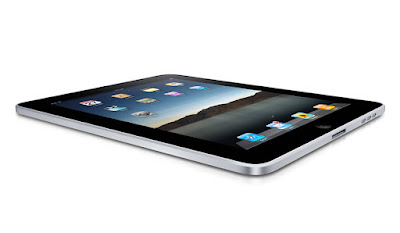
The iPad's arrival into the hands of consumers on Saturday has further exacerbated this issue. While many developers are no doubt excited about a new machine with a robust feature set and near-guaranteed commercial success, they are being asked to develop again for a new platform, update it, and cultivate a relationship with the community there. The race is on for the earliest applications, who think they can pick up a $5 or $10 price point after seeing 99 cents rule the world on the iPhone.

Buy It for the iPhone and iPad? No Discount for You!

And while the iPad's new applications are admittedly nice, don't think you get any kind of shortcut for being an existing iPhone owner. If you've already bought in to Apple's ecosystem approach, and downloaded your fair share of applications, you get the opportunity to do so again, and not with any kind of discount. For example, I purchased the MLB.com At Bat 2010 application for $14.99 for iPhone. Now that I have the iPad, MLB has a dedicated application for that platform, and yes, it's another $14.99. It didn't ask if I had an existing license, and it didn't offer a discount. Meanwhile, even with free applications, we see confusion. The new TweetDeck iPad application, if downloaded, sits alongside the TweetDeck iPhone application, giving you two TweetDecks on your iPad, one big and one small.

TweetDeck's example is an interesting one as well. Having launched with a cross-platform AIR application, TweetDeck worked with Macintosh and Windows on day one. In the ensuing 18 months, Iain and his team have developed dedicated applications for iPhone and iPad. Meanwhile, Seesmic developed a desktop version of their client for Mac and Windows, as well as a dedicated Web site, an Android version, and a dedicated Windows client, called Look. But Seesmic still hasn't publicly made it to the iPhone, let alone the iPad. Even if the pair are not dividing up the market, their inability to easily be on every platform with high quality shows the risks and stress of operating in today's environment.

iPhone Apps in iPad = Classic Under OS X, and Web Site Tweaking Is Nuts

As for those iPhone apps that so seamlessly transitioned their way to your iPad? Yes, they work, and yes, it's cool to zoom in at 2x the effect, but their cruddy resolution makes me feel like I'm booting up OS 9 in Classic mode under Mac OS X again. Running iPhone apps on the iPad is a mixed experience indeed.

Meanwhile, this whole tumult around Apple's iPad not supporting Flash, and Apple launching an array of "iPad Ready" Web sites that look great on their tablet is completely insane. Steve Jobs was once famously quoted (I believe it was in Fortune around the time of the first-gen iPod) that mobile Web site users didn't want a watered-down Web experience, but instead, a full Web experience. He was right. I've already lamented the fact that my iPad's Safari User Agent is interpreted as a mobile device and not a full-fledged computer. I appreciate sites like Brizzly and Gmail that have adapted to make their sites look great on iPad, but they are solving a problem that simply should not exist. If you have to change your Web site to fit a new device, maybe it's the device and the platform who has the problem, and not you. Just like we shouldn't celebrate a site for making a version that works only with Microsoft's Internet Explorer browser, we shouldn't do the same to laud the extra work required to make domains look great on iPad.

As users, we are in a very interesting turning point in the evolution of operating systems and platforms. The Web's ubiquity and the growth of mobile devices as robust computers in their own right means tremendous potential for new application development. We now can get high quality Web and software experiences on our mobile phones, tablets, laptops and desktops - and the success stories of some developers who have struck it rich developing for the iTunes Store and others is giving code jockeys even more reason to compete for our attention. But even as we get more and more choices of vendors, mobile phones, and application stores, it seems we are actually losing control in terms of getting a unified experience and application access across all. The world of platforms as we know it is splintering, and we are funding it. We are choosing to buy not just more devices, but also paying for the applications in new places.

I may not be a Web developer, but I swear some of the best must lament the time when the hardest decision when deploying was whether or not to test your site and Web apps in Netscape Navigator Gold or not - as they now need to choose to code for the desktop, the Web or the mobile platforms, and then choose their favorites on each, and an order in which to release. It's getting crazy out there. Better in terms of quality and reach, of course, but crazy nonetheless.

April 02, 2010

Web Services or Apps? The Desktop Metaphor Is Collapsing.


You can't click a link these days without bumping into news on Apple's new iPad. Some lunatics are already in line at Apple Stores across the country, waiting overnight to be among the first to buy the new device. My e-mail in box is swelling with new announcements of applications that are debuting for the iPad, and Apple released a list of Web sites yesterday that leverage HTML 5 (instead of Flash), making them "iPad Ready". Practically all forecasts expect the iPad to a big success on par with the iPhone and iPod, not a dud, like the ill-fated G4 Cube.

After years of tablet rumors, which initiated well before the iPhone, Apple opted to deliver an iPad that didn't run a slimmed down version of Mac OS X (i.e. Mac OS X Lite) as many had anticipated, but instead, opted to go the route of the iPhone, without a Finder/Desktop mentality, led by Apps accessible from the iTunes Store, with an integrated Web browser, Safari. While we have grown used to mobile devices that download and deploy apps - be they from Apple, the Android Marketplace or for Palm's WebOS, these apps were not designed for a full-size computer, and Apple effectively turned its back on a 25 year history of nested folders.

The debut of the iPad comes at a time when Apple's most notable assumed competition may not be Microsoft, who is by far the market leader in folder and desktop-based systems (and the core software to run atop said machines), but instead, Google. Google in the last few years has emerged to not just be a dominant player in its search engine market, but has risen to be a major player in the mobile phone industry - taking Apple's iPhone head-on - but also the operating system world. Its announcements for a Chrome OS, with the Chrome Web browser at its core, make it a very serious alternative, one that is designed not for a world of apps, but instead, one of Web services and data in the cloud.

The strain between the two companies, now well documented, is seeping into the way the company's employees perceive one another (and their products).

For example, upon reading the news that Boing Boing's Cory Doctorow recommended against buying an iPad, Google's Adam Lasnik shared the piece on Google Reader, adding: "the future is Open, and thank goodness for that". The inference, of course, is that Apple's closed ecosystem, contrasted with Google's belief that they are promoting open standards, is not where the world is headed.

One Googler's Opinion on the Future

In November of last year, I said Google's Chrome OS was not about deploying today, but preparing for a future with Web-centric world, where Web sites trumped applications, and standards like those promoted from the Buzz team allowed for a rich experience free of client software. Google's Chrome OS, unlike the operating systems of today, from Windows, Macintosh, Linux and others, lacks a desktop, or its equivalent. You can't exit out of the browser to see the hard drive, and it's like being at a permanent Web terminal. Applications run in the browser and crash in the browser - without any need to know if that's on Drive C or Drive D, in My Documents, My Settings or My Photos.

Meanwhile, in Redmond, Windows 7 has come and nullified many of the bad feelings about Vista. It's a pretty good operating system, all things considered. But it's not moving the ball forward in the way that the iPad/iPhone/iApps approach is, or in the way that Google's Chrome OS hopes to do. Apple and Google are betting, in no small part, that users will adapt to a new construct of how they interact with appliances. Apple's move seems to be more about manual input and self-contained applications, while Google is maintaining the keyboard approach, but doing away with the decades-old desktop and file folder structure.

Regardless of the over the top headlines asking if Microsoft can "survive in an iPad world", change takes time. While Apple was once seen as an outsider to a big market when they first launched the iPhone, and Google doesn't yet have penetration with Chrome OS, Apple now has significant mindshare and is seen as the one to beat in the innovation scale, but they haven't snuffed out Windows. Meanwhile, we haven't heard what Apple has in mind for Mac OS X Eleven. Will it merge the iPhone OS with Mac OS X, or will the dual operating systems evolve in parallel? I wouldn't be too surprised if Apple found a way to move us forward with the iPad and apps-based computing being the direction, with desktops falling away to the annals of history, but if they went this route, it is going to be a long haul indeed.

May 22, 2009

Personal Heresy: What OS You Use Is No Longer Critical


Last September, when Google's Chrome Web browser was first introduced, I told you how I spent the day on Windows, just to use it. While Google is making headway in bringing their Web browser to the Mac platform, or so I've been told, it just hasn't happened yet. In the interim, Apple introduced Safari 4 Beta with many of Chrome's much-awaited features, and Safari has remained my browser of choice, as I tend to find Firefox too slow and too bloated, especially as extensions are added.

Today, I came across an article by Rick Klau, who works at Blogger for Google, saying how he was using Chrome on his Mac, also through VMware, but most importantly to me, as a result of Microsoft's new Windows 7 evaluation program, which lets you gain access to the operating system for free for a year. With my nose in the air, I've watched from my Mac laptop the struggle Microsoft has had with Vista, and how users are begging for Windows 7 to arrive. I've seen Steven Hodson and others talk excitedly about what's planned from Redmond, and largely, I haven't cared. I didn't think it applied to me.

But think of what Rick told us. Any Mac OS X user who has VMware Fusion (or Parallels, I assume), can get access to Windows 7 today, just by downloading the 32-bit version of the .ISO file from Microsoft and getting started. No CDs. No hassles. Just an evaluation key, and letting VMware do the work. The geek in me overruled my Mac bigotry today, so guess what? I'm writing this post in Chrome on Windows 7 in VMware on Mac OS X. It just works.


What? Windows 7 installing on my Mac?


Windows 7? Mac OS X? Does It Matter Any More?


So - back to the focus of the post. For the better part of two decades, I have ranted and raved that Macs are superior, whether it be for the hardware or the OS. The Mac vs. PC commercials on TV are very amusing and help cement the belief I've got a better product. I can largely ignore malware, and know I can get a consistent experience from Mac to Mac for the most part.


Logged Into Windows 7 And Checking the Computer


Sharing My Desktop Between Both Mac and Windows


But I'm starting to think more and more that it really doesn't matter any more. I won't be ranting about the cloud and saying all software is dead, but within an hour, I've got my Web browser set up to all the bookmarks and social services I constantly use. I have iTunes in VMware on Windows 7 seeing all my music from the Mac. I have an FTP client I can use to post to the blog. Practically all I really need the Mac for is the Adobe Photoshop family, Microsoft Office and the comfort of knowing my e-mail is saved locally as well as through MobileMe.


A Typical, Active Web Session, But On Chrome and Windows 7
(Click for a larger image)

I don't feel I need to go feature by feature of Windows 7 and see if it has all the bells and whistles that Mac OS X does. Maybe it does. Maybe it doesn't. But with very few exceptions, I could switch to Windows in this environment, and not lose too much sleep - something that would be made even more possible were I to push all my mail to GMail and take my word processing to Google Docs, for example.

Also in September of 2008, I speculated that the new world of browser choices is all about the hooks, especially from each company's mobile platform. The iPhone loves Safari, as you know. But Safari is also available on Windows, and the iPhone can be synced on iTunes on my Windows 7 partition. Hmm.

The line between what is an Operating System, and what is a Web browser, is getting increasingly blurry. And the traditional benefits of the Mac that always had me red in the face and starving of oxygen when trying to convert non-believers are going away. Maybe that's why I stopped caring about Apple rumors, as I told you last week.

If I do run into somebody willing to listen about what operating system they should choose, I can without hesitation say the Mac, because it's still what I know best, and I have had such a good track record with Apple. But Windows 7, so far, is good enough for most people, provided they can avoid bugs, malware and other irregularities.

So you tell me, am I out of my mind, or finally seeing the light?

December 16, 2008

Adobe AIR: Deleting Locally Stored Encrypted Data

By Mona Nomura of Pixel Bits (FriendFeed/Twitter)

The main advantage to Windows for me, is that I am familiar with maintenance. I go straight into registry files, poke, shift, and delete stuff - confident my actions will not interfere with my PC's innards. I know Windows. OS X is a whoooole different story. Everything is so simple, but that's what scares me. The simplicity.

Call me paranoid, but because of my past experiences with Windows, 3rd party native apps freak me out, since I'm don't know what's going into where... and the biggest problem? I am an OS X moron.

So looking into 3rd party publishing tools for Twitter was confusing. All of the apps I use (personal and professionally) are web based. I do not have a need for Silverlight or Adobe Air, so I had to learn about those app before deciding on a Twitter app, since most Twitter apps require AIR or Silverlight. See? Confusing.

Long story short, I decided on Twhirl, since it came so highly recommended, installed AIR and Twhirl, then uninstalled immediately after running them for 30minutes. I am one of those that keeps separate windows to a minimum and accustomed to only a few windows: my browsers (Firefox, Safari, nightly build), documents, and Adium. Plus it slowed down my computer and it was just too busy. (for me).

So when it came to uninstalling Twhirl and AIR, I wondered if there were any files both apps plugged or hid locally. Especially since the data is encrypted and uses KeyChain to store data from the application to user. Digging through my hard drive did nothing for me, not to mention all the questions: Dragging and dropping apps don't really make all the files... disappear. Do they? Can it truly be that simple? It seems too good to be true; and the questions go on and on. (Hmmm, note to self: learn OS X.)

So I did the next best thing. Googled.

Well lo and behold, turns out I was correct. Adobe Air doesn't automatically delete files.

From their site:

deleting Adobe Air encrypted files
Click for larger image

"The encrypted local store may perform more slowly if the stored data exceeds 10MB.

When you uninstall an AIR application, the uninstaller does not delete data stored in the encrypted local store.

Encrypted local store data is put in a subdirectory of the user’s application data directory; the subdirectory path is Adobe/AIR/ELS/ followed by the application ID." via Adobe's site

And there you have it, folks.

Do any of you use Adobe Air? Am I missing out on good apps? Do you use Twhirl or another client?

*Originally posted on PixelBits, I thought to repost here from a TweetDeck/Adobe Air discussion stemmed from FriendFeed.

Chris Pirillo was kind enough to leave tips in the comments:
"For OS X, it’s: /Users/Username/Library/Application Support/Adobe/AIR/ - although I can’t confirm the specific path for either Windows XP or Windows Vista, though it’s likely to be somewhere either in “C:\Documents and Settings\Username\” or “C:\Users\Username\” depending on which version of Windows."
Read more by Mona Nomura at Pixel Bits

September 02, 2008

I Spent the Day On Windows, Just to Use Chrome

Some people might think the typical Mac user has a superiority complex, and you could be excused for thinking so, if the Mac vs. PC commercials were any indication. But every once in a while, a cool "must try out" app comes along that leaves us a little envious ourselves - making us feel like we're being considered lesser beings. Today, Google's debut of Chrome, their next generation Web browser, was for Windows only, not for Macs. But putting my better judgement aside, I was willing to fire up VMware Fusion and stay in Google Chrome for the day to give it a fair shake. While it wasn't light-years ahead of anything I've ever tried, I'm glad I spent the time to check it out, and it's going to be fun seeing it get developed and ready for my preferred platform.

I believe the world is moving away from an operating system-based model to that of the Web browser. More essential applications are moving to the browser, and with the exception of Microsoft Office apps and Adobe PhotoShop, I could spend virtually my entire day just in the browser or on e-mail. This does two contradictory things: #1, it makes it easier for people to switch between operating systems, like from PC to Mac, and #2, it makes the differentiation between Macs and PCs less important to begin with, making the tie-ins with Web properties and creative applications like iLife and MobileMe just that much more critical.

When Google finally opened up Chrome to the masses around mid-day today, I wasn't going to sit on the sidelines, so I fired up VMware Fusion, with a Windows XP environment, opened Internet Explorer, and downloaded Chrome. A few minutes later, I had one of the fastest, most minimal browsers out there. While I didn't import any bookmarks or my own user history, it wasn't long before I was using corporate e-mail, and opening new tabs to check all my usual sites, without any issues. Pages loaded quickly, and with the exception of needing to install a Flash plug-in, all the content worked.

Curious if Chrome would be allowed to visit more secure sites, I logged onto Wells Fargo Bank and eTrade and didn't get any issues of the bank not supporting the browser. Interestingly enough, my own SiteMeter account recognized the Chrome visit instead as a variant of Safari (thanks to the underlying WebKit foundation), which likely explained why it was so smooth.


Awwwww.... Snap!

I only encountered one failed tab, which responded with an "Aw, Snap!" with an accompanying unhappy face. But other than that small failure, browsing was quick, and not much different than any other browser. The main differences on the surface had to be seeing my most frequently-visited sites in grid form as I opened new tabs, and seeing the tabs themselves along the top of the browser.


My popular visits (scrubbed for work), seen in Chrome

Pretty much the only complaint I have so far is I don't know how to customize my most "favorite" pages, so I can remove some from the grid, like corporate Web mail or the Intranet. If there's a way, I haven't seen it yet, but it's not a showstopper.

Typically, using an application under Windows emulation on VMware is remarkably slower than its native equivalent. But I didn't feel bogged down by Chrome, as I mentioned on Twitter. It just worked. I even enabled the "Unity" setting so the Chrome browser window floated above all my other Mac apps, and it seemed just right.

Will it be enough to make users turn off Internet Explorer? So far, I'd say not yet. Nothing about the browser made it amazingly better for the unwashed masses who have grown used to accepting Microsoft's half-hearted attempts at software. But I can't see any good reason I'd ever use Firefox or Opera or Flock again. Chrome is going to be my alternative to Safari on Windows and I'm interested to see if they can sway me on the Mac side, hooks and all.

December 14, 2007

Even Virtual Windows Can Drive You Nuts

I've been a very happy VMWare Fusion customer for a few months now. Getting into the world of dual operating systems on my MacBook Pro has been almost universally rewarding from day one - starting with ditching my old Dell laptop, and being able to use Microsoft Outlook, use Internet Explorer 7 and other applications unavailable to us Mac folks - but in a single virtual window, letting me use the Mac the other 95% of the time.

Yet, the other day, while working on e-mail or catching up on RSS feeds, I heard the familiar "Windows is shutting down" chimes, and confirmed it by looking at my VMWare Fusion application. In full text, Windows was informing me my settings were being saved, and indeed, the operating system was shutting down. And no, I didn't tell it to, and no, I don't have any idea why. I told a friend at work, who laughed and said, "Windows needs a reason to shut down?"


I caught Windows in the act of bailing on me this morning...

It happened again yesterday morning. Going to my VMWare Fusion application, I sent the Ctrl-Alt-Del command to the Windows virtual machine, and it didn't come up. I closed Fusion and reopened it. Still no dice. I went to my virtual machine library, selected Windows XP and hit "Run". Nothing. It actually took rebooting the Mac for the Windows virtual machine to launch correctly again!

So guess what... 10 minutes ago, I heard the chimes again. Windows is shutting down. Again. Without rhyme or reason. Again. Now, I have to see if I can trick it into relaunching without making me reboot my Mac. Again.

I'm happy I'm not using Windows as my primary operating system, but even this is annoying. How do people live with themselves day to day in this type of OS hell? Ridiculous.

October 09, 2007

Windows XP On My Mac!


With VMWare Fusion, I've now got the option to run Windows XP, Linux and Mac OS X, all at once, on one single speedy MacBook Pro. I've had the software for about 24 hours now, and can't say enough good things about it. With that said, I tried to post a quick summary over on The Apple Blog.

See: VMWare Fusion On Mac Delivers My Best Windows Experience Ever

October 05, 2007

Our Intel Mac Is Back

My first week with my Intel-based Apple MacBook Pro is a bit of a misnomer. After all, for just about the full duration of the week, it spent some quality time in the repair shop, not with me at all, after the laptop bizarrely stopped responding to any of my keyboard or trackpad input. (See Prior Post | The Apple Blog) But this evening, as I was wrapping up at the office, I got a call from the Apple Store saying Cupertino had resolved the issue - after replacing the keyboard, the trackpad, and mysteriously, dabbling with the machine's internals.

The good news? The repairs cost me nothing. So, all I was really out was 4-plus days of MacBook Pro goodness, and the annoyance of once again synching up my data between the new machine and the older PowerBook G4.

Now, after a second, more complete, migration from the old machine to the MacBook Pro, we've managed to reduce the available hard drive space to a mere 125 gigabytes - which I'm looking forward to consuming with all sorts of new applications and virtual machines on VMWare Fusion - enabling me to run both Mac and Windows programs side by side.

The bad news? I don't exactly trust the machine at this point. It's fast. It's responsive. It's bright, and the keys feel great. But I'm just a little less secure, knowing we already ran into a major issue with the hardware in the very first day. Now, I'll be absolutely sure to routinely back up my most important data, and just maybe, I won't sing Apple's praises for hardware quality all that much for a while.

September 30, 2007

Geeking Out With a New MacBook Pro

Today, I unpacked one of the most-anticipated items to reach our shipping facility in the last few years - my new Apple MacBook Pro. Aimed to replace a 7-year-old Power Mac G4 desktop and a frustrating Dell laptop at the same time, I'm ready to migrate all my major applications over, and start using this magnificent machine for both Mac and Windows work - as soon as I can get hold of VMWare Fusion or another OS emulator, which would let me run Microsoft Outlook, Project, Visio or any other Windows-only apps alongside my Mac environment without hassle.

For the last hour or so, I've had my two laptops sitting side by side, the first in FireWire Target Disk Mode, as I migrate files, applicatins and preferences from my PowerBook G4 (1.25 GHz/80 GB) to the new MBPro (2.2 GHz/200 GB). Yes, that's right. A whopping 200 gigabytes - enough room for all my applications, and all my files, including the more than 30 Gigs of music I've ripped from my CDs and downloaded from the iTunes Music Store.

We're just getting started, but there is no question the new machine is faster, the keyboard is more responsive, and even the speakers sound much better than my 2-year-old laptop. I can't wait to run speed comparisons between it and the year 2000 model I've got at the office...

September 19, 2007

Windows XP Machine Infiltrates Apple Computer!

With Apple's relatively recent move to Intel processors, it seems everything in Cupertino is up for grabs. Just yesterday, I received a visitor to this blog from "APPLE COMPUTER", one of the few thousand checking in on last week's surprisingly popular post on the growing practice of internal linking. While that in itself isn't all that newsworthy, the visitor's configuration caught my eye.

The APPLE COMPUTER visitor was running not Mac OS X, but Windows. And not Vista, but Windows XP. And their browser? Not the new Safari for Windows, but Firefox. Do you think Apple knows that a "Firefox" has gotten into the henhouse?


Above: The Win XP/Firefox user caught red-handed.

Update: The prior version of this post said the visitor was running NT. That was due to a combination of sleep deprivation, carelessness, and the NT 5.1 designation next to the Firefox detail. Mark, in the comments, noted my mistake.

June 20, 2007

New TAB Post: Seeking .Mac for Windows Safari

Last night, I got out the Dell laptop from the office and decided to finally do two things: accept all Windows updates I'd been neglecting, hopefully speeding up the device, and more importantly, add Apple's recently introduced Safari 3.0 browser for the platform. After a quick download and reboot, we were using what I believe to be the best Web browser out there on a decidedly sucky platform. While the application is great, and I've already made it my default browser for Windows, I was disappointed to see I couldn't log in to my .Mac account and retrieve all my bookmarks. I hope Apple plans to soon integrate this feature into the Windows browser.

That's the background behind my most recent contribution to The Apple Blog, titled Seeking .Mac For Windows Safari. Per agreement with them, I will not be cross-posting the piece, but instead, have provided a link. Enjoy.

June 11, 2007

WWDC: Apple Introduces Safari for Windows

WWDC and Macworld Expo come only twice a year - and that's too bad. Because twice a year, the Mac community gets all excited when Santa Jobs comes in bearing presents and we all can't wait to see what's there to unwrap. I've been following each of these keynotes for the better part of ten years now, and while some have been disappointing, the surprises outweigh the doldrums.

Today's surprise? Apple announcing that the browser wars aren't over by a long shot. After the company's success with iPod and iTunes for Windows, they're branching out by bringing the somewhat popular Safari Web browser to the forbidden platform.

Web browsing on Windows today is yucky. I noted here a while back that I actually preferred Microsoft's Internet Explorer 7 browser to Firefox for Windows, but that just goes to show how bad the offerings are over there in Redmond.

Will Safari take off on Windows the way iTunes has? I really don't know. I think the barriers to entry in the Web browser market are very big. Microsoft went to court to defend their monopoly in this space already, and many a browser has come and died in the face of the IE juggernaut. I also don't know that there's a groundswell of Windows users begging for Safari, which isn't perfect in itself.

But if I ever have to power up my Dell laptop again, you know one of the first things I'll be doing is downloading Safari for Windows and seeing if it's as fast as Steve Jobs told the WWDC crowd it was just this morning.

I'll say one thing though. Apple never gets boring.

January 31, 2007

Windows Vista: Lipstick on a Pig

Noted Web pioneer Dave Winer chimes in on the hype around Microsoft's latest release to the Operating System formerly known as Longhorn...

"$500 million of marketing can't hide the fact that these days it's hard to find anyone who cares about Windows."
Via Scripting.com (Jan. 31, 2007)