Showing posts with label Portables. Show all posts

May 29, 2012

Fast, Sleek New Chromebooks Bring OS Worthy Hardware

The new Chromebook and a Chromebox to boot.

At the end of 2010, I got my first exposure to a fully cloud-based operating system, when I was an early recipient of Google's CR-48 pilot program. Those of us getting the early gear were guided to be kind to the admittedly clunky hardware, and instead focus on the operating system, which changed the way we thought about local storage. But in addition to the unique OS, which started and ended with the web browser, the machine was intriguing for its long battery life and pervasive wireless capabilities, including 3G connectivity. The second generation hardware, which I obtained from attending Google IO last summer, started where the first gen left off, syncing quickly from my Google account, and bumping up its speed, while maintaining great battery life and wireless.

But in both cases, the devices were my backup devices, secondary to my primary machine, a MacBook Air. Be it specific software, inertia or simple speed and aesthetics, I still found myself using the Apple laptop the majority of the time - except when I was away from home or the office, as the Chromebook has from day one been best for mobile computing. The newest devices, being introduced today, have flipped that argument on its head. I've been using the new Chromebook for the last few days, and the only time I ever got my Macbook out was to sync my Fitbit tracker with its desktop cradle.


Google introduces the new Chromebooks

The new Chromebooks are incredibly sleek, light and fast to boot. That may be hard to substantiate, especially if you assume my pro-Google filter is in effect, so I tested on the WebGL fishtank demo, getting 60 fps at 1,000 fish, lowering to the high 40s if I made that its separate window and kept working on something else, be it Gmail, playing a YouTube video, accessing my docs on Google Drive, or browsing the web.

I've been thinking about and working toward a cloud-centric lifestyle for years now, and since joining Google last August, I spend practically all my waking connected hours in Chrome. I have Chrome on my Android phone, on my TVs with the Google TV, on my Mac laptops and, obviously, at the heart of the Chromebook.    The benefits of having access to all my bookmarks, user profiles and content from device to device cannot be overstated, and the newest laptop no longer makes me feel like I am compromising anything in exchange. The hardware is thin, the keyboard and trackpad are top quality, and its weight is light enough that if it were held next to the latest model Macbook Air, any difference is scarcely noticeable. This is no longer just a evolutionary OS story, but one that has hardware worthy of it.

Disclosures (Per Usual): Yes, I work for Google. I have been testing this new unit free of charge. I also previously received the CR-48 and second generation Chromebooks free of charge prior to joining Google, so life is pretty good. :)
April 18, 2010

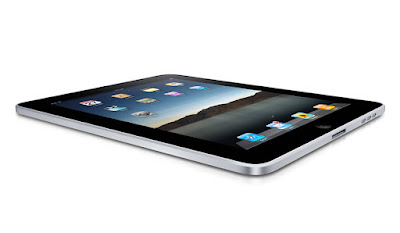
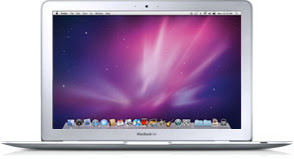
Apple iPad, MacBook Air and iPhone 3G. Pick Two.

Two weeks ago, when the iPad finally became available for purchase, I picked up a pair for our home - one for me, the 64 GB WiFi version, and one for my wife and twins, the 16 GB WiFi version. Given Apple's tremendous track record in the last decade through the debut of the iPod and iPhone, the march of the iTunes Store, and yes, even the Apple TV, for our home anyway, I figured the iPad would find a good spot in our technology gadgetry usage model - despite my already having an embarrassment of riches from Cupertino, in the MacBook Air and iPhone 3G. And it does have a place, but it hasn't exactly been revolutionary. While I am not one of the handful of folks trying to make headlines by shipping theirs back to the store, I recognize the iPad for what it is, a nice machine, with some incredible features, but if forced to take only two of my three devices somewhere, it's the iPad that stays home.

The iPad does some things extremely well. That its battery life can stay above the 90% mark for a tremendous amount of time, even when watching movies through iTunes, immediately puts it well ahead of the juice-hungry MacBook Air and iPhone. While I am always watching the battery life on those two models, and don't want to stray too far from a power outlet, the iPad can go several hours without needing to get reconnected. The iPad's large screen and ability to run existing iPhone apps also is very fast and sharp, making using the same apps on the iPhone seem cramped and less than satisfying. I also really like the iBooks app, and have been doing a lot of reading on the iPad when I've put my other devices down. In addition, the iPad's keyboard is large enough that typing is practically second nature - unlike the iPhone, where I have to heavily rely on its autocorrection to pick up my typos.


But with all that said, giving it all sorts of kudos for being brilliantly designed and making my iPhone seem like a chew toy, I have to seemingly go out of my way to find time when it makes sense to put down one of the other two devices and use the iPad instead.

I always assumed the iPad would be a fantastic content consumption device. It is. It doesn't have much parallel for reading books and watching films through iTunes. Doing so now on the iPhone's dinky screen seems silly. Having my bookmarks synched through MobileMe to the iPad also makes it easy to go site by site and make sure I am caught up with the world. But when it comes to true Web browsing and true e-mailing, the MacBook Air still trumps the iPad in all sorts of ways. Not only can I type much faster for e-mail, do copy/paste in a non-convoluted way, and run multiple apps at once, but I don't have to avoid Web sites that run Flash, leaving holes in my browsing experience.

The lack of Flash, as non-consequential as you might think it would be, shows up in all sorts of places. Client Web sites don't load. Twittercounter.com won't display graphs. Videos and other elements show up as holes where content should be. At least I know that when I switch back over to the MacBook Air, I can get something resembling a full Web experience.

One of the best things about the iPad has been its lack of a keyboard. While that may seem crazy, it has made sharing the device with the twins dramatically easier. While Matthew and Sarah tend to prefer mashing the keyboard and banging on the keys when seeing anything on my laptop, the iPad eliminates that possibility, and they grok the touch-screen options immediately, having grown up in a home with iPhones and an iPod Touch. The iPad has reinvigorated our relationship with YouTube, as the twins click from video to video and see not just themselves, from our own home videos, but YouTube favorites, like "Charlie Bit Me" and "David After Dentist", just by tapping the screen.

Clearly we have found use for our iPads. Some of the applications available for the iPad, such as ESPN's ScoreCenter and eTrade's application, are very good, even if they are just repurposing content found on their Web site. The iBooks application is a game-changer and playing some game apps, like "9 innings" on a real screen is much more satisfying than on the iPhone. In fact, having the iPad around has probably impacted our iPhone usage much more so than it has my laptop usage. As I am not using the iPhone any more at home for browsing the Web, e-mail or application use, it hasn't been too uncommon for it to be the "forgotten" device, sitting somewhere in the other room until it springs to life when someone calls. But the MacBook Air is still the best device to read Google Reader quickly, and to write blog posts, use Office documents, or really do anything around creating content.

While you can write blog posts on the iPad, or you can write e-mail on the iPad, or you can take notes on the iPad, for the most part you can always do them better on the laptop, and by doing these tasks on the iPad, you are essentially doing battle with a force of will, attempting to get it accomplished because you can, not necessarily because you should.

With dozens upon hundreds of thousands of iPad reviews out there on the Web, you no doubt have seen other people's comments on just how Apple's newest device has impacted their workflow. I am glad we have ours in our home, but if you were expecting a revolution, this isn't it. It's a missing piece between two already-solid products, a nice to have, but not a must have. I eagerly await new applications that show up on the iPad to help it make that leap to a must-have device. Until then, I'll keep using the MacBook Air for most things, stick with the iPhone for actually making calls, and use the iPad as a comfortable consumption machine for when I don't want to be overwhelmingly efficient and productive.

March 27, 2008

I've Been Living in the Recent Mac Past

Not too long ago, you might recall I had the unfortunate opportunity to crush my MacBook Pro laptop while at Spring Training in Arizona, effectively just about doubling our trip's costs. In a mere 30 seconds I went from being jubilant as to the A's success on the field to dismayed at seeing my Web and productivity lifeline with cracks and dead spots on its LCD, and its metal all bent out of shape. On Friday, after spending a few days backing up the machine's data (all 140+ GB of it), I turned in the laptop to the Apple Store, in hopes they can save me about $800 to $1,000 by fixing it and avoiding my needing a new MacBook Pro so early in the product's life.

With my MacBook Pro in the shop, I've gone back in time a full Mac generation. I dug around in our closet and found my PowerBook G4. While it looks a lot like the MacBook Pro, it's about half as good. It has 40% the hard disk space (80 GB vs. 200 GB), 50% the RAM (1 GB vs. 2 GB), and the processor's clock speed is only 60% as fast. (1.25 GHz vs. 2 GHz), not to mention it being of the non-Intel PowerPC variety. I even had to delete a full 30+ GB of iTunes music just so I could copy the big drive's data to the small one.

While the good news is that I moved over all my important data, and am fully synched on e-mail and Web bookmarks and the like, going back a full generation has taken away a lot of niceties I'd taken for granted, like VMWare Fusion and running real Outlook (not Webmail), like getting 3 hours of battery life, not 40 minutes, and MagSafe, instead of a 3rd party power adapter I had picked up after getting increasingly annoyed at Apple's offering.

Also, as I had intended to leave my old G4 in hibernation for "a rainy day", like this I guess, I never got the keyboard fully perfect after my beagle had opted to walk on it one fine evening, as a result, some of the letters I use most frequently, like "e", "r" and "y", require pressing multiple times, or with more emphasis, like I really mean it. Of course, hitting the keys harder also means they occasionally come up a few times in a row and need overuse of the delete button. That is getting rrrrrrrreeealll tiresome about now.

I have to admit I'm a bit lucky to have kept this old laptop where I could get it instead of being dead in the water when I took my MacBook Pro and treated it like common kitchen rubbish for the trash compactor. I'm also glad I could be up and running the next day. But with that said, I'm eager to get a call from Apple in the next few days saying my MacBook Pro is as good as new, and I can get back to being current again.

March 18, 2008

Crush Your Mac Laptop for Fun and Profit!

Ever have 30 seconds of your life that you wish you could take back? A mere 30 seconds that can make a great experience instead be recalled with stains of regret? That's the quandary I find myself in, as after wrapping up a quick mini vacation that saw the Oakland A's win all four of the Spring Training games we saw from Thursday through yesterday, I made a stupid mistake that is already costing me sleep and productivity, and will no doubt lead to hitting my pocketbook. For yesterday, I crushed my MacBook Pro, like a moron, and I have pictures to prove it.

Click Any Image for a Larger Version


See how 40% of the LCD is unusable...


The latch was bent outward from being crushed.


The left side bowed from the blow.


An angled shot (without Flash).


So how did I pull that off? After checking out of the hotel yesterday, we piled our bags in the trunk of the rented convertible. Concerned, once at the game, that my laptop bag would be easily spotted in the back seat, I put it in the trunk, temporarily, in an area marked "Not for Luggage". After the game, I forgot this, momentarily, and hit the "top down" button for the convertible, which dutifully whirred to a start and crushed my laptop bag with MacBook Pro inside. I spent hours last night getting it alive (in FireWire mod) and moving data to an old G4 laptop which I'm on now. But given the MacBook Pro's hard drive is 200 GB, and this one is 80 GB, we're not failsafe yet. But we're trying, and it sounds like I have a visit or three to the Apple Store in my future.

December 11, 2007

My Laptop And Me: A Committed Relationship


A typical Silicon Valley day (mine)

For many, including myself, my laptop goes with me to the office and comes back home. While the equipment stays the same, only my usage patterns change. In fact, I likely spend a similar percentage of time online while at home as I do at the office. Using a quick "back of the hand" measurement, I figure in a 24-hour period, assuming 6 hours of sleep, and 1 hour commute time, of the 17 remaining hours in a day (approx. 10 at the office), it's likely I'm on the laptop a good 14 to 15 hours. That's huge.

As we get more wired, and Web-enabled computers are pervasive, the amount of time we spend away from computers is decreasing, as is the total amount each of us spends outside, period, as the Web eliminates the need for many to go out and socialize, preferring social networks, to go shopping, to see movies, or do many of those things that used to require gassing up and heading out.


How many of my total hours awake are spent online? More than 80%?

When I do close the laptop lid to head out, I'll be supplementing my fix by making sure I have my Web-enabled BlackBerry on my hip, just in case I need to check a sports score while at the gas station or barber shop, or I'll click through to Google Reader Mobile to see if TechMeme is blowing up over the latest topic du jour.

Often, at home, my wife and I will be in separate rooms, on our separate laptops. Other times, we'll be watching TV together in the same room, and both our laptops will be open. I'll be reading RSS feeds, and checking Ballhype or Friendfeed. She'll be catching up on blogs, the news and discussion boards. Does this show a lack of communication or marital strife? I doubt it. It's just the way it's become. We both know catching up on work e-mail from home means a fast start to the next day. We both see the Web as a source of news and a place to unwind and communicate. And just because we're taking in one form of media doesn't mean we can't take in another part-time.


A conservative estimate on my part of hours spent during a day (exceeds 24)

As our Web intake has increased, consumption of written media has been decimated. I don't read as many books as I used to. I still buy them, but they pile up. I haven't gotten a newspaper in years, and I think I'm going to let my subscriptions to Newsweek, Sports Illustrated and ESPN Magazine lapse when they come due. Sitting to read them often feels like a chore, and it's not uncommon to be seen reading a magazine at the foot of my laptop on Saturday, with the TV muted in the background.

But while we're working to extend our social networks through LinkedIn and Facebook, or making comments throughout the blogosphere, the total hours spent with real-life humans is probably going down too. What does it say that I spend more time with my laptop than my wife? I guess it makes it just that much more important that I get the right computer, huh? Why is it that I can read 200+ feeds a day, but not call my mom? Why is it that I make sure all my e-mail items are read almost immediately, but I'd rather wait until my bills come in for a second notice before I shake the dust off my checkbook? Why is it that I probably would spend more time making sure the RAM and hard drive size on my laptop is just perfect, but I can't take the time to fix the broken bedroom dresser hinges?

It could be that I recognize my laptop is a perpetual giver. Empowered by the Web, it gives and gives and gives without question and is one of the last things I see before I go to bed and the first when I wake up. Maybe that's why, as I've embraced this digital lifestyle, that I recognize I quietly, secretly, signed on with my laptop to become my life partner. Just don't tell my wife.

October 05, 2007

Our Intel Mac Is Back

My first week with my Intel-based Apple MacBook Pro is a bit of a misnomer. After all, for just about the full duration of the week, it spent some quality time in the repair shop, not with me at all, after the laptop bizarrely stopped responding to any of my keyboard or trackpad input. (See Prior Post | The Apple Blog) But this evening, as I was wrapping up at the office, I got a call from the Apple Store saying Cupertino had resolved the issue - after replacing the keyboard, the trackpad, and mysteriously, dabbling with the machine's internals.

The good news? The repairs cost me nothing. So, all I was really out was 4-plus days of MacBook Pro goodness, and the annoyance of once again synching up my data between the new machine and the older PowerBook G4.

Now, after a second, more complete, migration from the old machine to the MacBook Pro, we've managed to reduce the available hard drive space to a mere 125 gigabytes - which I'm looking forward to consuming with all sorts of new applications and virtual machines on VMWare Fusion - enabling me to run both Mac and Windows programs side by side.

The bad news? I don't exactly trust the machine at this point. It's fast. It's responsive. It's bright, and the keys feel great. But I'm just a little less secure, knowing we already ran into a major issue with the hardware in the very first day. Now, I'll be absolutely sure to routinely back up my most important data, and just maybe, I won't sing Apple's praises for hardware quality all that much for a while.

October 01, 2007

I'll be Downgraded for About a Week

24 hours ago, I was unwrapping a brand-new MacBook Pro. Now, I'm back on the slower, but more reliable, PowerBook G4, as the first Intel-based Apple product I've ever had mad its way back to Apple home base in near-record time.

Following this morning's bizarre keyboard and trackpad outage, from which the laptop never recovered, I took the advice of Webomatica and others, including some suffering the same fate on Apple's discussion boards, and headed to a Mac Genius at a local Apple Store as quickly as I could.

While I had fantasies in my head of them removing my hard drive and placing it in a brand-new MacBook Pro casing, so I'd be in and out of the Apple Store in minutes and on with my life, but it was not meant to be. Instead, the Mac Genius opened the laptop, clicked a few keys, and unsurprisingly remarked, "That's not good."

Duh.

After more research, he said the parts needed to fix the laptop weren't available, and they'll be holding on to my MacBook Pro for a few days. Earliest I should expect to see it again? Probably Friday, though I'll be happy if I get it by end of day next Monday.

So, at least it wasn't my fault, and at least I still have my PowerBook G4, which up until yesterday, was the highest powered laptop in the house. I managed to live without the MacBook Pro up until this point, and now it looks like I'll have to wait just under a week more.

MacBook Pro Keyboard Locks Me Out

Here I am, all excited about my new Apple tech toy, and it's making me feel like a chump, after all the good things I said about it just yesterday.

I successfully loaded all programs and files last night, whittling the available space on the hard drive to a mere 129 Gigabytes. But after a morning's work at home, I came in to the office, and have been completely stuck since - as the laptop isn't responding to any keyboard or trackpad input, and at the same time, the laptop's fans are whirring noisily below. A pair of restarts and a single shut down later, and I'm still feeling like world's biggest Apple fanboy moron.

After about 30-45 minutes of messing with this, I finally unhooked a USB keyboard and mouse from the old G4 desktop and attached it to the MacBook Pro, so the laptop is sitting in front of the USB keyboard, making things awkward and ridiculously duplicitous.

So far, Apple's support site hasn't been much help, nor has any amount of Google searching, System Preference manipulation, or random key hitting. For now, while I can use the USB keyboard, it's no kind of long-term solution, and I'd have to say I'm seriously annoyed.

UPDATE: According to Apple's support site, I'm not the only one with the issue... and so far, the only solution is to get it repaired. Not good!
Any Mac fans out there who have a good suggestion for me so the MacBook Pro's first day isn't ruined?

September 30, 2007

Geeking Out With a New MacBook Pro

Today, I unpacked one of the most-anticipated items to reach our shipping facility in the last few years - my new Apple MacBook Pro. Aimed to replace a 7-year-old Power Mac G4 desktop and a frustrating Dell laptop at the same time, I'm ready to migrate all my major applications over, and start using this magnificent machine for both Mac and Windows work - as soon as I can get hold of VMWare Fusion or another OS emulator, which would let me run Microsoft Outlook, Project, Visio or any other Windows-only apps alongside my Mac environment without hassle.

For the last hour or so, I've had my two laptops sitting side by side, the first in FireWire Target Disk Mode, as I migrate files, applicatins and preferences from my PowerBook G4 (1.25 GHz/80 GB) to the new MBPro (2.2 GHz/200 GB). Yes, that's right. A whopping 200 gigabytes - enough room for all my applications, and all my files, including the more than 30 Gigs of music I've ripped from my CDs and downloaded from the iTunes Music Store.

We're just getting started, but there is no question the new machine is faster, the keyboard is more responsive, and even the speakers sound much better than my 2-year-old laptop. I can't wait to run speed comparisons between it and the year 2000 model I've got at the office...

April 16, 2007

Today, My iPod Left to a Higher Place

In the summer of 2005, I did the unthinkable, and left my iPod, chock full of tunes, photos and company data, on an airplane, when traveling from Chicago to Baltimore. Not having backed up my data in a while, I was challenged to find out a way to rebuild and not lose anything important, and starting over, with a new iPod, took quite a bit of time.

Not two years later, the newer iPod, a 60 gigabyte iPod Photo, has met a similar fate, once again having to do with air travel. This morning I flew from San Jose to San Diego, and upon reaching the hotel, plugged in the iPod to my laptop. After leaving the room for a few hours, I came back to find both the PowerBook and iPod were stuck in time. The seconds in my menubar weren't moving, and the iPod wasn't doing squat.

While the iPod isn't lost, it is most definitely dead, offering up only a sad iPod icon, and asking me to contact Apple support. It won't mount on my laptop, or play music. Although I've been better about backing up since the first incident and did a full backup to my laptop a week ago, this is in no way convenient. The iPod has served as the best way for me to easily transport data from one location to another, serving as much more than a portable jukebox. Now, it's a paperweight.

The question is, what to do next? Do I send it off to Apple to be repaired, uncertain as to when I'll get it back and for how much? Do I buy a new one, and junk the old one? Or do I stop with the iPod cycle and try something new? None of the options sounds cheap, and none is preferred to somehow magically fixing the one I've got, but here we are. Sigh.

March 31, 2007

The Power to Set You Free (of Power Cords)

In February, I stated one of my biggest tech wishes is to find a wireless power solution for my laptop or other devices. While we've grown accustomed to wireless Internet in most major locations (home, work, airport, hotels, etc.), we're still required to lug around power supplies which present issues themselves, as cords fray and connectors get bent or misaligned.

I've suggested the first company to make wireless power simple and affordable will have a major hit on their hands. GeekWhat's Tony Chung agreed.

Now, it appears others are waking up to the potential for wireless power to become a reality. A company called Powercast has developed a way to power low-voltage devices wirelessly, and Philips will be bringing it to market, according to Mathew Ingram.. Chris Pirillo is similarly excited, saying "Finally, a piece of technology that nobody will be able to live without."

Powercast has a major write-up in the upcoming April issue of Business 2.0, which any good geek should be subscribed to, BTW. Business 2.0 says the technology isn't any more sophisticated than AM or FM radio, as it converts radio waves into DC electricity.

The biggest drawback I could find in this early access product? It only charges to distances of 3 feet, for now. So it won't power large devices, and it won't power them over the distance of a room or a house, so there's still a lot more work to do, but I really like the direction this is going. I can't wait to ditch the power cord.

February 16, 2007

It's Time to Make Power Wireless and Battery-Free

When Steve Jobs passed an Internet-connected iBook through a Hula Hoop during MacWorld just under a decade ago, it whisked in the era of wireless Web for most of mortal consumers. Today, WiFi is both accepted and expected nearly everywhere, at home, at work, and in some larger cities, outside. But in order to truly cut the cord, we need to find a solution that doesn't require being tapped into an electrical cord, hanging as a leash (or ball and chain) to the nearest socket.

Today, a rumor surfaced that Apple was pursuing a patent that would pass both data and power without physical contact. For those of us tired of lugging around laptop power cables, or stowing a spare battery, any type of positive change can only come too soon. While processor power and network speeds have continually increased over the last few decades, the typical battery life for a laptop hasn't budged much. A few years back, in 1999, Apple advertised watching a single DVD more than once (though they were shown to be wrong), but now, I'd be surprised if I could finish a good two to three hour film, especially if I were running any other applications.

When I posed the topic of "wireless power" to a colleague a few years back, he practically scoffed at me, saying that wireless power had been invented, in the form of microwaves, and that we would all be nuked ourselves if we demanded the power be transmitted wirelessly through the air, in the same fashion as 802.11 wireless Internet.

Maybe so. But it seems only logical to me that the first company to debut a simple solution for wireless power adapters for a mass audience is set to make significant money. I can't wait to detach myself and cut the cord when that time comes.