Showing posts with label Web applications. Show all posts

June 10, 2011

Chromebooks Poised for First Look Under the Microscope

Google's browser-centric Chrome OS will be getting its first reviews from those outside of the company's beta program starting this week as units from Samsung and Acer reach the first buyers on OEM hardware. Already, reviews have started flowing in, with the first observations offering a mixed set of feedback, as many struggle to find a way to assess the products - either comparing them to traditional OS-based laptops, or thanks to the pricepoint, against low end netbooks.

Unsurprisingly, the responses are typically positive about the ease of use and access, but eyes are quickly drawn to what's missing, namely, the host of traditional software applications that live beyond the browser today.

Browsing my Mac Mail on Chrome OS With Google Music Playing


When launching a new product into a very crowded space with tons of history, a new challenger needs to determine a few things, including:
  • Does the product accomplish something altogether new, never done before?
  • Does the product improve upon existing systems in capability or performance?
  • Does the product save people money while offering similar capability?
For those curious about ChromeOS or iOS or Android or any new technology, the basic questions revolve around whether the new product will help them achieve more, or avoid problems with what's already in place. In my initial review of the beta CR-48 unit, I said the browser lock-in felt like I "had been placed on house arrest," adding "serious efforts will need to be taken to convince people why putting everything in the cloud, and abandoning (for the most part) applications they know well, will help their lives." This is the age-old conundrum of marketing in general - tell us why it's better, not just that you've introduced something, but why this will help me.

In the ensuing months, I have increasingly been using my ChromeOS notebook (and am writing this post on it now, while streaming tunes on Google Music). The device's built-in 3G connection, thanks to Verizon, and incomparable battery life has made it a must for events and practically any time I leave the house. I've taken to calling it my "car computer", much like the carphones of old, as instead of lugging a heavy laptop bag complete with power cords, I just put the CR-48 under my arm and then place it on the passenger seat. I'm often stopping before or after meetings to use the laptop from the parking lot, or catching up on email before I drive to the next place. It's incredibly convenient. That said, it's still playing the role of the "second computer" for me and will likely for most people until they get more accustomed to cloud-based Web apps, and as those apps increase in number and quality.

Google's team hasn't said ChromeOS is for everyone. For designers bound to Final Cut Pro and PhotoShop, abandoning those apps is a practical impossibility. At Google IO the company instead spoke to the worker bees who primarily use their company laptops for email, Web access and word processing, all of which can be done on ChromeOS with solid quality, even if Google Docs still takes some getting used to for the Microsoft Office whiz. The company's initial marketing forays speak to fast boot up (which is yes, very fast), the elimination of viruses so common on Windows (but don't scare most Mac users), and the future being the Web. As I wrote on Tuesday, the definition of cloud differs between tech companies these days, but Google's approach, where all user data is on the Web, and the hardware is interchangeable, seems the most pure.

My Current Array of Browser Apps Is a Start for ChromeOS

A Web centric world is one that takes some getting used to, but once you've gotten used to having 3G networking everywhere, and battery that goes all day, typical limitations seem substandard. My wife borrowed my CR-48 to take with her to a meeting at church (which has no WiFi) and while on 3G, she was able to download the membership directory and edit a spreadsheet for upcoming meeting schedules. On the CR-48, all we had to do was make a new user for her on my machine, tied to her own Google account, and her activity didn't get in the way of my own.

Initial feedback on the CR-48's flaws, including the much-maligned trackpad and perceived pokiness, have pretty much been eliminated after months of quick driver updates over the air. I now routinely have Google Music running in one browser window, Seesmic or Twitter in another, and in a third, multiple tabs open to my multiple email accounts. Instead of a cluttered interface, however, Chrome OS has adopted to let me quickly rotate screens, either from a dedicated key for "Next Window" or the familiar alt-tab, used more commonly to switch apps in Mac or Windows. And knowing what I know about Samsung's high quality hardware, which is behind my Android tablets, my Android phone and the TVs in our house, I am looking forward to seeing what they do with their first Chromebooks.

With this first volley, you can anticipate media reaction, which will no doubt be eager to claim success or failure of the project, with box counters and trend spotters alike looking for initial sales numbers and market share penetration. My bet is you won't get sales numbers from Google directly, while Samsung, Acer and others will give insight into the results, or Best Buy might report the data from their online store. It's also extremely likely that Google is in this game for the long haul. Chrome is one of the pillars of the company, so if there is anything resembling slowness, they'll listen and iterate fast, as they're known to. Meanwhile, you can look forward to headlines like those from PC World who eagerly said Chromebooks are "doomed to fail". Everybody wants their bets in early, in the chance they might be right.

What I know is that after initially relying on MacBook Air for more than 90 percent of what I do with my laptops, the Chromebook is taking more and more of my time and it's liberating to take it with me to the park or anywhere I need to go and know my data and my Web will be with me. I look forward to apps I've had to leave behind, like Spotify and others, making the leap to the Web and away from the desktop metaphor. I'd bet, just like the transition from Mac OS 9 to Mac OS X a decade ago, those laggards will get there. And you just might see people increasingly taking to Chromebooks for low-cost access to the Web.

June 09, 2011

Graphicly Expands Website With HTML5 Comics, Sharing

Boulder based Graphicly, best known for its comics reading and purchasing platform on mobile devices, desktop and the iPad, is expanding its reach to the Web with the relaunch of a brand new Web site which brings comic book reading to the browser, along with expanded community features and the new option to share comics and stories around the Web for fellow fans. The Web launch, on the foundation of HTML5, hopes to not sacrifice any of the user experience while making access to all the digital media independent of the device.

Graphicly, whose most visible advocate is well known social Web personality Micah Baldwin, the cofounder who has led the charge for the company since officially joining at the start of 2010, has doubled its user base over the last six months, and is now seeing a new comic book downloaded every minute. True to form, Graphicly reports every social action taken by a member of the community is viewed more than 400 separate times. This tight connection with community and inherent virality of comics is a major reason the company has doubled down on sharing capabilities with its new site, which goes live today.

An HTML5 Comic With Sharing Features on Graphicly

Starting today, comics and other Graphicly content can be shared across the Web, putting publisher content in front of more viewers, all of whom can convert to paying Graphicly users with some effort. Graphicly's approach has been to bring the same consumption, buying, social and sharing experience across all screens.

A Standard Graphicly Profile With Purchase History and Connections

“With our focus on HTML5, storytelling, collaboration and sharing that you can be done anywhere online or mobile, Graphicly’s full vision is becoming a reality," said Baldwin. "over the past year, we have met a lot of awesome fans, creators and stories, and they have no place to truly interact online. This release is the first move towards allowing all that awesome to connect in one place."

Sharing Functionality on Graphicly

The Graphicly Chrome Web App

With the battle over the definition of the cloud raging between the major Web giants, Graphicly has sided with both approaches - building dedicated apps and even being featured at Google IO for its Chrome Web app, but now moving into the full Web, backed by HTML 5. This sets them up nicely for reaching any mobile or desktop device its users want to leverage to read content. In fact, they promise in a release today to help bring author content to Kindle, Barnes and Noble Nook, or "any platform they choose".

You can find the new Graphicly at http://www.graphicly.com, or just search for Graphicly in practically any app store.

April 23, 2011

With iApps Surging, Apple Seemingly Abandons Web Apps

Considering the dramatic success of Apple's App Store for iPhone, iPod Touch and iPad, it seems remarkable that at the 2007 introduction of iPhone, the device was not set up for third party native applications, with Steve Jobs and crew suggesting standards-based Web apps were the way for developers to design for the device. A June 2007 press release gushed over secure and reliable apps designed on Web 2.0 Internet standards, but by July of 2008, the App Store launched as part of iTunes, and hundreds of thousands of apps have found their way to iDevices. Meanwhile, the Web Apps directory on the Apple Web site has atrophied, not having updated in nearly five months - while competitors such as Google push for Web app development inside Chrome.

The Web Apps directory on Apple.com looks much like the iTunes App store, Mac App Store or other application directory, including the Android Market, with "Most Recent", "Most Popular", "Alphabetical" and "Staff Picks" across many different categories, including "Games", "News", "Social Networking" and others. But if you look at the most recent content, you don't see anything new since December 3rd 2010, and Puck Billiards, posted on November 30th, has enjoyed the exclusive Staff Picks position for the entirety of the duration.

Puck Billiards Has Been Featured Since 11/30/10.

Prior to the directory's freeze, staff picks for Web apps were issued every few days. The staff picks page shows other highlighted apps posted November 18th, 29th, 30th, December 2nd and 3rd and then nothing. No mention of a change in status for the directory, or future plans. If you are a developer looking to submit a Web App, you can still do so, or provide feedback to the directory, but it's not completely clear anybody's listening.

Apple's Web Apps Page from a Previous Era Is Still Live

In contrast to the hundreds of thousands of apps on the App Store, Apple's Web Apps splash page mentions "over 1700 web apps to flick and scroll through", but this page too is clearly in the dustbin of history. The 1,700 number was live as of January 2009 (according to Archive.org), made even more antiquated with no mention of the iPad, referring only to iPhone and iPod touch.

iOS has been an incredible platform, an extremely lucrative one for Apple and its developer community. But the silence on Web apps makes it look as if they just walked away. The right thing to do would be to close submissions, shut down the page, and put up a note saying the directory won't be updated.

June 22, 2010

Tungle Is An Irreplaceable Web Scheduling App

Padding on to my comments about mobile WiFi being a must-have for mobile consultants, another indispensable product I have turned to in recent months is Tungle, or more specifically, Tungle.me, which lets me open up my calendar enough so third parties can book time with me on my schedule, without having to worry about who is using different systems, or giving away private information, such as just who I am meeting with when. Now, instead of having unproductive e-mail sessions where people try and find out what times I am open, I just point them to my Tungle, and more often than not, assuming the time is open, a meeting can easily get booked.

The fragmentation of one's calendar can become ever more possible as one starts to work with different companies and their own internal calendaring systems. As you can guess, even if I meticulously watch over my Google Calendar (or iCal, if you prefer), meeting invites come in on corporate e-mail via Exchange, or through client e-mails. As far as their Exchange servers are concerned, almost all my time is free, even if that is far from the case. This is due to Google Calendar and iCal not having write access to their servers.

Syncing from Google Calendar to Tungle

Displaying Availability on My Calendar On Tungle

By making Tungle the master, I can synchronize with Google Calendar, and report free/busy to the world, but I can also ask people to schedule meetings through their service, and can browse their free/busy schedule, with their permission.

I have set up my Tungle such that when people propose new meetings, they need to select more than one time that works. This gives me a chance to reference my Tungle to actual locations of meetings (known from Google Calendar), and to pick the best time or date. Upon acceptance, Tungle sends an e-mail to both the contact and myself to provide an update, and Tungle writes back to my Google Calendar to correctly show the meeting is reserved. I don't have to post it in more than one place, and Tungle goes so far as to set an alarm to remind me when the meeting approaches.

A Typical Tungle Invite for a Meeting

The Confirmation of the Meeting, Via Tungle

How one manages their calendar differs for each person of course. As you might not want somebody to assume you are really "Available" when you had planned to get work done, you can still use Tungle (or whatever calendar you use to feed it) to block out hours for tasks, or you can leave the time open for net new meetings and simply move your tasks around. Regardless of your choice, Tungle also helpfully provides a feed of all changes to your schedule, chronologically, to show updates you have made, and those others have made to you.

A Request to Share Details With One Contact

Tungle Confirms the Sharing of Calendars

The leading words in today's Web are about flexibility, choice, openness and mobile. Tungle doesn't force me to choose one calendaring system over another, and it displays the content I choose to whomever I like. It also offers a mobile app for iPhones and Blackberries, though Android support, thus far, is lacking. You can find my Tungle at http://tungle.me/louisgray.

I also included Tungle in my recent 50 Top Startups Worth Watching at position #38.

May 19, 2010

Chrome Web Store Fills In Questions on Chrome OS

Following Google's introduction of the Web-centric Chrome Operating System, my biggest questions around the project have largely been divided into two pieces - the first being the expectation of pervasive high speed Internet and the second being the availability of high quality Web applications that could replace the desktop environment. And while the first issue's answer depends largely on your location, the second issue is showing serious signs of being filled with this morning's introduction of the Chrome Web Store. At Google I/O today, the tease of the upcoming Web store brought serious intrigue and as one of the major highlights in what was an extensive and comprehensive near two hour keynote. And avoiding all hyperbole, as best as I am able, I came away so impressed with the potential of the Web store that it had me rethinking how the introduction could radically change the paradigms of how we obtain applications today and how we interact with our operating systems, desktop apps and online commerce.

As Sundar Pichai, vice president of product management at Google, explained, customers have long struggled to find Web applications - lacking ratings and reviews. In the world of mobile phones, this has largely been solved with fantastic examples of Apple's iTunes Store and the Android Marketplace, but for Web Apps, there has not been a centralized source to obtain these apps, run these apps and - should the option be available - pay for these applications.

Some Web Apps In the Chrome Web Store

Pichai said the problem pointed in two directions - first in users struggling to find the apps, and second, the developers finding ways to be discovered. Additionally, users' tendency has always been to think Web applications should be free of cost, forcing most developers to go the advertising route to make revenue. The Chrome Web Store intends to shake that up. One major benefit of shaking up the way users find Web apps, developers promote Web apps and Web apps make revenue? Centralizing a source for applications for Google Chrome - not just as a browser, but .

In April, I wondered about how developers were going to have to work in a world with so many different platforms vying for their attention. Developers are having to decide not just between the major operating systems, but also between the different mobile operating systems, like iPhone and Android - with WebOS from Palm also facing an uncertain future in its new home at HP. One alternative, and one that Google certainly hopes will become the future of app development, is to leverage Web standards and code for the browser.

While the Web's origin was around static documents, it is obviously becoming a platform for rich and social applications. New capabilities, many of which leverage the much discussed HTML 5, enable Web application developers to create high quality rich experience applications that run within the browser, not on the desktop.

"The future of the Web is HTML 5," Pichai said, adding that the 70 million Chrome users who use the browser, contrasted with 30 million last year at this time, would have access to the new Web store in their browser every time they started up. And this future demonstrated a number of full-featured applications, not scaled-down options or dumbed down options we've grown used to in a Web browser experience, but the real thing - and sometimes even more.

Today's demonstration from Sports Illustrated's Editor, Terry McDonnell, of the company offering a full magazine experience - plus interactive, updated, scores and rich media, looked like the first real alternative to the print edition I would possibly be interested in paying for - oddly, the same thing people said about apps on the iPad when Apple's tablet launched. And yet, at times, I was thinking that this kind of a Web store could potentially even have more of an impact on the future of Web development than a single tablet could - creating the opportunity for Web applications to make money in the same way that Apple's iTunes Store has, and start to help customers realize the value of high quality apps, based on leading technology standards, that could drive incremental revenue.

If Web services and Web app developers find a Web store - for profit - compelling, this could potentially drive the same kind of gold rush to Chrome's Web Store as we have seen to iPhone and iPod Touch and iPad in the last few years, helping to further promote Google's Chrome browser, and of course, the planned operating system. The more apps available for the operating system, pushing data stored to the cloud, the fewer holes and questions there are around Chrome's future.

This announcement was more than flashy cover photos on Sports Illustrated (which were cool) or seeing a Lego version of Star Wars played in the browser (doubly geeky). This was about redefining the approach to online commerce for Web apps and redefining what we can expect from quality apps deployed in the browser, further paving the way for users to commit to Chrome. It's early, but as McDonnel said, we are "at the beginning of a storm of innovation." While skeptics may see this introduction as yet another hook into Chrome from Google, or offered only to a subset of users on the Web today, it's forging a new approach the other players aren't promoting, and one that benefits both users and developers.

April 08, 2010

Phones, 'Pads and Platform Plethora Pain


Fifteen years ago, James Gosling and others at Sun helped promote a new programming language, Java, which aggressively promised to allow developers to "write once" and have their programs "run anywhere." At the time, Java aimed to solve the problem of programs being available for one operating system, but not others - most commonly seen with deployment on Microsoft Windows, the gorilla in the market, but not for less-popular platforms, including Apple's Macintosh, Linux, and yes, to a lesser extent, Solaris. More than a decade later, despite incredible progress in the world of standards, and the accompanying growth of the World Wide Web, intended to be computer agnostic, the world of platforms has gotten even more confusing, not less so, forcing customers and developers alike to make irrevocable choices to align themselves with potential winners. Additionally, thanks to splintering of application platforms and sources, customers are being asked to purchase identical products from single manufacturers for different devices, and the more powerful our mobile devices, phones and tablets get, the more this problem looks to only get worse.

Desktop Operating Systems Stable as Chrome OS Looms

For the most part, desktop operating systems have not changed much in the last 10 years. Mac OS X was made available from Apple in 2001, and became the standard since 2002, replacing Mac OS 9. In parallel, Microsoft Windows has seen regular upgrades, as has Linux (and all its flavors). No major competitor has emerged to unseat the big three - although Google's Chrome OS might make things interesting soon.

But Gadgets, App Stores and Platforms Are Proliferating

Where innovation has remarkably changed the world of development lies in two areas - first, mobile and gadgets, and second, the rise of the Web and communities as platforms themselves. While in the early 2000s, we would talk about deploying applications for Macintosh, Windows, or Linux, you now have to also consider writing applications for iPhone, Android, BlackBerry, Windows Mobile, Palm Pre, the iPad, or even if you are coding for Facebook or Twitter. While some code may be reused from platform to platform, development and deployment can be siloed, with different feature sets based on one's computer choice, or different launch dates. And in competitive markets, you can often see one application gain traction for two platforms and its main competition take the others, in an unofficial divide and conquer strategy.

For those of us who remember the huge struggles in the Apple platform in the mid-90s, at times it seemed like we should be thanking our lucky stars for gaining the privilege of installing some second-rate port of a Windows application on our systems. That they even thought enough of us to throw us a bone was to be lauded. In other cases, the Macintosh version would ship months or years later, or we would get one version, only to see three issued consecutively for Windows while we held on to our creaky software.

While things have improved for us Mac folks, just imagine the incredible challenge facing a third-rate bit player on the mobile platform, like Palm's Web OS, trying to get traction and ask developers for their attention - which will likely come only after everything else is solved on all the bigger venues. And the issue of choosing where to code and deploy is only going to get more difficult with Google's Chrome OS looming in the wings.

For the most part, customers are choosing a single operating system and a single mobile platform for their use. They might be Windows people and iPhone users. They might be Mac people who like Palm Pres. They might love Linux and the Google Nexus One. And once users choose a platform of choice, they are almost certainly locking themselves into what's available for them on that specific platform, as titles appear on other devices but don't cross the border.

Buy Into an App Store Ecosystem and You Own That Choice

The reason that Apple trots out the vast number of applications available for iPhone in the iTunes App Store is obvious - showing their momentum, and also giving customers more and more reasons to choose them ahead of lagging platforms. Google's Android platform, which gained nearly 10,000 applications last month alone, is also trying to be relevant through its array of apps. The Motorola Droid radio commercial I heard on my drive home tonight speaks repeatedly about multi-tasking, but also about how many of its apps don't run on those other "so-called smart phones", a not so subtle dig at Apple. If there is a killer app on Android, iPhone users can't get to it, and there are many apps on the iPhone platform that don't run on the Droid. God forbid a customer change their mind and port their number to a new platform - as they would be throwing away not just their call history, but their application library, and would need to start again.

The iPad's arrival into the hands of consumers on Saturday has further exacerbated this issue. While many developers are no doubt excited about a new machine with a robust feature set and near-guaranteed commercial success, they are being asked to develop again for a new platform, update it, and cultivate a relationship with the community there. The race is on for the earliest applications, who think they can pick up a $5 or $10 price point after seeing 99 cents rule the world on the iPhone.

Buy It for the iPhone and iPad? No Discount for You!

And while the iPad's new applications are admittedly nice, don't think you get any kind of shortcut for being an existing iPhone owner. If you've already bought in to Apple's ecosystem approach, and downloaded your fair share of applications, you get the opportunity to do so again, and not with any kind of discount. For example, I purchased the MLB.com At Bat 2010 application for $14.99 for iPhone. Now that I have the iPad, MLB has a dedicated application for that platform, and yes, it's another $14.99. It didn't ask if I had an existing license, and it didn't offer a discount. Meanwhile, even with free applications, we see confusion. The new TweetDeck iPad application, if downloaded, sits alongside the TweetDeck iPhone application, giving you two TweetDecks on your iPad, one big and one small.

TweetDeck's example is an interesting one as well. Having launched with a cross-platform AIR application, TweetDeck worked with Macintosh and Windows on day one. In the ensuing 18 months, Iain and his team have developed dedicated applications for iPhone and iPad. Meanwhile, Seesmic developed a desktop version of their client for Mac and Windows, as well as a dedicated Web site, an Android version, and a dedicated Windows client, called Look. But Seesmic still hasn't publicly made it to the iPhone, let alone the iPad. Even if the pair are not dividing up the market, their inability to easily be on every platform with high quality shows the risks and stress of operating in today's environment.

iPhone Apps in iPad = Classic Under OS X, and Web Site Tweaking Is Nuts

As for those iPhone apps that so seamlessly transitioned their way to your iPad? Yes, they work, and yes, it's cool to zoom in at 2x the effect, but their cruddy resolution makes me feel like I'm booting up OS 9 in Classic mode under Mac OS X again. Running iPhone apps on the iPad is a mixed experience indeed.

Meanwhile, this whole tumult around Apple's iPad not supporting Flash, and Apple launching an array of "iPad Ready" Web sites that look great on their tablet is completely insane. Steve Jobs was once famously quoted (I believe it was in Fortune around the time of the first-gen iPod) that mobile Web site users didn't want a watered-down Web experience, but instead, a full Web experience. He was right. I've already lamented the fact that my iPad's Safari User Agent is interpreted as a mobile device and not a full-fledged computer. I appreciate sites like Brizzly and Gmail that have adapted to make their sites look great on iPad, but they are solving a problem that simply should not exist. If you have to change your Web site to fit a new device, maybe it's the device and the platform who has the problem, and not you. Just like we shouldn't celebrate a site for making a version that works only with Microsoft's Internet Explorer browser, we shouldn't do the same to laud the extra work required to make domains look great on iPad.

As users, we are in a very interesting turning point in the evolution of operating systems and platforms. The Web's ubiquity and the growth of mobile devices as robust computers in their own right means tremendous potential for new application development. We now can get high quality Web and software experiences on our mobile phones, tablets, laptops and desktops - and the success stories of some developers who have struck it rich developing for the iTunes Store and others is giving code jockeys even more reason to compete for our attention. But even as we get more and more choices of vendors, mobile phones, and application stores, it seems we are actually losing control in terms of getting a unified experience and application access across all. The world of platforms as we know it is splintering, and we are funding it. We are choosing to buy not just more devices, but also paying for the applications in new places.

I may not be a Web developer, but I swear some of the best must lament the time when the hardest decision when deploying was whether or not to test your site and Web apps in Netscape Navigator Gold or not - as they now need to choose to code for the desktop, the Web or the mobile platforms, and then choose their favorites on each, and an order in which to release. It's getting crazy out there. Better in terms of quality and reach, of course, but crazy nonetheless.

April 02, 2010

Web Services or Apps? The Desktop Metaphor Is Collapsing.


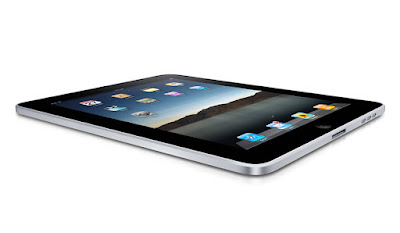
You can't click a link these days without bumping into news on Apple's new iPad. Some lunatics are already in line at Apple Stores across the country, waiting overnight to be among the first to buy the new device. My e-mail in box is swelling with new announcements of applications that are debuting for the iPad, and Apple released a list of Web sites yesterday that leverage HTML 5 (instead of Flash), making them "iPad Ready". Practically all forecasts expect the iPad to a big success on par with the iPhone and iPod, not a dud, like the ill-fated G4 Cube.

After years of tablet rumors, which initiated well before the iPhone, Apple opted to deliver an iPad that didn't run a slimmed down version of Mac OS X (i.e. Mac OS X Lite) as many had anticipated, but instead, opted to go the route of the iPhone, without a Finder/Desktop mentality, led by Apps accessible from the iTunes Store, with an integrated Web browser, Safari. While we have grown used to mobile devices that download and deploy apps - be they from Apple, the Android Marketplace or for Palm's WebOS, these apps were not designed for a full-size computer, and Apple effectively turned its back on a 25 year history of nested folders.

The debut of the iPad comes at a time when Apple's most notable assumed competition may not be Microsoft, who is by far the market leader in folder and desktop-based systems (and the core software to run atop said machines), but instead, Google. Google in the last few years has emerged to not just be a dominant player in its search engine market, but has risen to be a major player in the mobile phone industry - taking Apple's iPhone head-on - but also the operating system world. Its announcements for a Chrome OS, with the Chrome Web browser at its core, make it a very serious alternative, one that is designed not for a world of apps, but instead, one of Web services and data in the cloud.

The strain between the two companies, now well documented, is seeping into the way the company's employees perceive one another (and their products).

For example, upon reading the news that Boing Boing's Cory Doctorow recommended against buying an iPad, Google's Adam Lasnik shared the piece on Google Reader, adding: "the future is Open, and thank goodness for that". The inference, of course, is that Apple's closed ecosystem, contrasted with Google's belief that they are promoting open standards, is not where the world is headed.

One Googler's Opinion on the Future

In November of last year, I said Google's Chrome OS was not about deploying today, but preparing for a future with Web-centric world, where Web sites trumped applications, and standards like those promoted from the Buzz team allowed for a rich experience free of client software. Google's Chrome OS, unlike the operating systems of today, from Windows, Macintosh, Linux and others, lacks a desktop, or its equivalent. You can't exit out of the browser to see the hard drive, and it's like being at a permanent Web terminal. Applications run in the browser and crash in the browser - without any need to know if that's on Drive C or Drive D, in My Documents, My Settings or My Photos.

Meanwhile, in Redmond, Windows 7 has come and nullified many of the bad feelings about Vista. It's a pretty good operating system, all things considered. But it's not moving the ball forward in the way that the iPad/iPhone/iApps approach is, or in the way that Google's Chrome OS hopes to do. Apple and Google are betting, in no small part, that users will adapt to a new construct of how they interact with appliances. Apple's move seems to be more about manual input and self-contained applications, while Google is maintaining the keyboard approach, but doing away with the decades-old desktop and file folder structure.

Regardless of the over the top headlines asking if Microsoft can "survive in an iPad world", change takes time. While Apple was once seen as an outsider to a big market when they first launched the iPhone, and Google doesn't yet have penetration with Chrome OS, Apple now has significant mindshare and is seen as the one to beat in the innovation scale, but they haven't snuffed out Windows. Meanwhile, we haven't heard what Apple has in mind for Mac OS X Eleven. Will it merge the iPhone OS with Mac OS X, or will the dual operating systems evolve in parallel? I wouldn't be too surprised if Apple found a way to move us forward with the iPad and apps-based computing being the direction, with desktops falling away to the annals of history, but if they went this route, it is going to be a long haul indeed.

December 03, 2008

15 Useful Google App Engine Applications

By Mike Fruchter of MichaelFruchter.com (Twitter/FriendFeed)


Google App Engine, which was released in April 2008, is a platform for building, hosting and scaling web applications using Google's infrastructure. It allows a developer to build and test web applications without the worry of maintaining servers, and so forth. It's pretty much a plug and play type of solution, just upload your application, and it's ready to serve your users. A lot of these applications are very raw and are just test beds for the developers. There are quite a few that are useful and have some potential. This post highlights 15 of them.

1) Down or Not

This is a simple utility that will tell you if a website is online or offline. This site also displays a tag cloud of the last 100 or so websites that have been queried for their uptime.


2) Check Google Pagerank

This will allow you to check your website's Google Pagerank. What's also great about this utility is the ability to check Pagerank for up to 100 domains per time.


3) Jumbra

Jumbra allows you to combine your favorite RSS/Atom feeds into a single RSS feed. This could save a lot of time with unnecessary checking of multiple feed urls. You can combine up to 30 feeds to create one custom master feed. You can also share this url, and when you add new feeds, your jumbra feed will update automatically. I also set up a testing Jumbra RSS feed you can take a look at.


4) Browse the iPhone app store

This application is an HTML version of the iPhone app store. You can see the full previews of any selections available for purchase such as music, movies, games, apps etc. I particularly like this app because you can browse the iPhoneappstore without the iTunes software. It's at the point of purchase that you are directed to the Apple iPhone App Store, where you must have the iTunes software installed to complete the sale.


5) Go2

Go2 is a quick, free web Proxy. Proxy servers usually sit between an application such as a Web browser, and a web server. They intercept all requests to the real server to see if it can fulfill the requests itself. I tested it by using a simple http request, and it worked. The results and IP address all point back to Google's network. Black Spider is also another Google App Engine/web proxy that works well.


6) TCP3 Short and Tiny URL Generator

TCP3 is a url shortening application. It serves the same purpose as the rest of these services do and it works efficiently. There is an option for creating vanityurls. They also offer a gadget for iGoogle, and a toolbar shortcut that you can use to shorten the url of whatever page you happen to be on at the moment.


7) MyTextFile

MyTextFile is an ajax-powered notepad for quickly storing bits, or a single plain file of text. You can use it to store notes, snippets of text, web urls,or any other form of scribbled information. Login in with your Google credentials, and easily write notes on the fly and access them anywhere.


8) URL-Info

This application allows you to find out more information behind a specific web url. This retrieves the HTTP headers, links, images, and others information. Be sure to add this tool to your SEO toolbox.


9) Linkius
This application gives you your own custom mobile url to access and store bookmarks. The bookmarks are accessible via your mobile optimized url. You can create groups, and add new links directly from your desktop. I find this to be a pretty simple and solid application for what it was designed for.


10) Treksee Map Pedometer

This is a useful mash-up that will show you the distance between two points, in miles or km. You could use it to track how far you drove, biked, jogged etc. I could see myself using this for plotting the mileage points on family summer vacations, which involves a lot of time spent on the road.


11) PrintWhatYouLike.com

This application allows you to print only the the relevant data on a web page. This is done by letting you remove or reformat the elements on a web page. Trim the excess junk, white space, advertisements and save paper in the process. This should be a definitebookmarker.


12) News Served Del.icio.usly

This is an interesting tool for discovery. It works by finding and reading the latest news by using your Delicious tags. You give the site your Delicioususername only and it generates news categories that are basically personalized with your bookmark tags. Clicking a tag will bring up the most relevant news sources for it, that are pulled from blogs and other news sites.


13) Re.flect.net

Re.flect is a simple website mirroring service. Here's how it works. "Give it a URL and Re.flect will attempt to serve a pre-cached copy of that URL. If the cached copy does not exist it will try to cache and serve that request on-demand, future requests will then be served from their cache limiting demand on the originating server."


14) Lullar Com

This application allows you to search and find people across the social web. You can search for social profiles by email, first name, last name orusername. It's very similar to usernamecheck.com.


15) Spy

Louis wrote a nice review on Spy back in August. Spy is great for monitoring elements of the social net for topics of interest and brand monitoring. The service scans in real time, Twitter, Google Reader, FriendFeed and more. Looking backwards as little as one hour, or as much as two days for the relevant topic sources. It's a great way to visualize the social media conversations going on about a specific topic.


You can find more interesting and usefull apps at the Google App Engine Application Gallery.

Read more by Mike Fruchter at MichaelFruchter.com.