
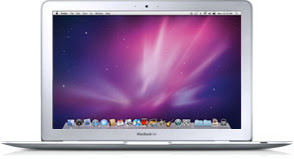
 Two weeks ago, when the iPad finally became available for purchase, I picked up a pair for our home - one for me, the 64 GB WiFi version, and one for my wife and twins, the 16 GB WiFi version. Given Apple's tremendous track record in the last decade through the debut of the iPod and iPhone, the march of the iTunes Store, and yes, even the Apple TV, for our home anyway, I figured the iPad would find a good spot in our technology gadgetry usage model - despite my already having an embarrassment of riches from Cupertino, in the MacBook Air and iPhone 3G. And it does have a place, but it hasn't exactly been revolutionary. While I am not one of the handful of folks trying to make headlines by shipping theirs back to the store, I recognize the iPad for what it is, a nice machine, with some incredible features, but if forced to take only two of my three devices somewhere, it's the iPad that stays home.
The iPad does some things extremely well. That its battery life can stay above the 90% mark for a tremendous amount of time, even when watching movies through iTunes, immediately puts it well ahead of the juice-hungry MacBook Air and iPhone. While I am always watching the battery life on those two models, and don't want to stray too far from a power outlet, the iPad can go several hours without needing to get reconnected. The iPad's large screen and ability to run existing iPhone apps also is very fast and sharp, making using the same apps on the iPhone seem cramped and less than satisfying. I also really like the iBooks app, and have been doing a lot of reading on the iPad when I've put my other devices down. In addition, the iPad's keyboard is large enough that typing is practically second nature - unlike the iPhone, where I have to heavily rely on its autocorrection to pick up my typos.
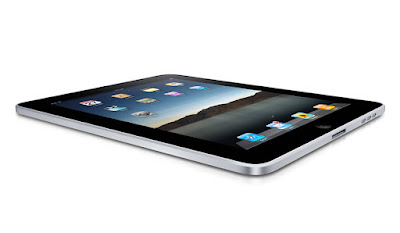
But with all that said, giving it all sorts of kudos for being brilliantly designed and making my iPhone seem like a chew toy, I have to seemingly go out of my way to find time when it makes sense to put down one of the other two devices and use the iPad instead.
I always assumed the iPad would be a fantastic content consumption device. It is. It doesn't have much parallel for reading books and watching films through iTunes. Doing so now on the iPhone's dinky screen seems silly. Having my bookmarks synched through MobileMe to the iPad also makes it easy to go site by site and make sure I am caught up with the world. But when it comes to true Web browsing and true e-mailing, the MacBook Air still trumps the iPad in all sorts of ways. Not only can I type much faster for e-mail, do copy/paste in a non-convoluted way, and run multiple apps at once, but I don't have to avoid Web sites that run Flash, leaving holes in my browsing experience.
The lack of Flash, as non-consequential as you might think it would be, shows up in all sorts of places. Client Web sites don't load. Twittercounter.com won't display graphs. Videos and other elements show up as holes where content should be. At least I know that when I switch back over to the MacBook Air, I can get something resembling a full Web experience.
One of the best things about the iPad has been its lack of a keyboard. While that may seem crazy, it has made sharing the device with the twins dramatically easier. While Matthew and Sarah tend to prefer mashing the keyboard and banging on the keys when seeing anything on my laptop, the iPad eliminates that possibility, and they grok the touch-screen options immediately, having grown up in a home with iPhones and an iPod Touch. The iPad has reinvigorated our relationship with YouTube, as the twins click from video to video and see not just themselves, from our own home videos, but YouTube favorites, like "Charlie Bit Me" and "David After Dentist", just by tapping the screen.
 Clearly we have found use for our iPads. Some of the applications available for the iPad, such as ESPN's ScoreCenter and eTrade's application, are very good, even if they are just repurposing content found on their Web site. The iBooks application is a game-changer and playing some game apps, like "9 innings" on a real screen is much more satisfying than on the iPhone. In fact, having the iPad around has probably impacted our iPhone usage much more so than it has my laptop usage. As I am not using the iPhone any more at home for browsing the Web, e-mail or application use, it hasn't been too uncommon for it to be the "forgotten" device, sitting somewhere in the other room until it springs to life when someone calls. But the MacBook Air is still the best device to read Google Reader quickly, and to write blog posts, use Office documents, or really do anything around creating content.
While you can write blog posts on the iPad, or you can write e-mail on the iPad, or you can take notes on the iPad, for the most part you can always do them better on the laptop, and by doing these tasks on the iPad, you are essentially doing battle with a force of will, attempting to get it accomplished because you can, not necessarily because you should.
With dozens upon hundreds of thousands of iPad reviews out there on the Web, you no doubt have seen other people's comments on just how Apple's newest device has impacted their workflow. I am glad we have ours in our home, but if you were expecting a revolution, this isn't it. It's a missing piece between two already-solid products, a nice to have, but not a must have. I eagerly await new applications that show up on the iPad to help it make that leap to a must-have device. Until then, I'll keep using the MacBook Air for most things, stick with the iPhone for actually making calls, and use the iPad as a comfortable consumption machine for when I don't want to be overwhelmingly efficient and productive.

